
Migration discovery
A read-only sweep of a prospect's Azure Virtual Desktop, Windows 365 and Microsoft 365 estate. It lists what it finds and separates what the platform can take over from what needs manual work, before you commit to a cutover date.
Deploy and scale Azure Virtual Desktop and Windows 365, and manage Microsoft 365 configuration, in each customer tenant from one console. Deployments come from versioned templates, and configuration is re-read on a schedule and diffed against your baseline.
Free tier: 1 tenant, 5 users, no time limit · card authorized, not charged · runs on your own Azure subscription
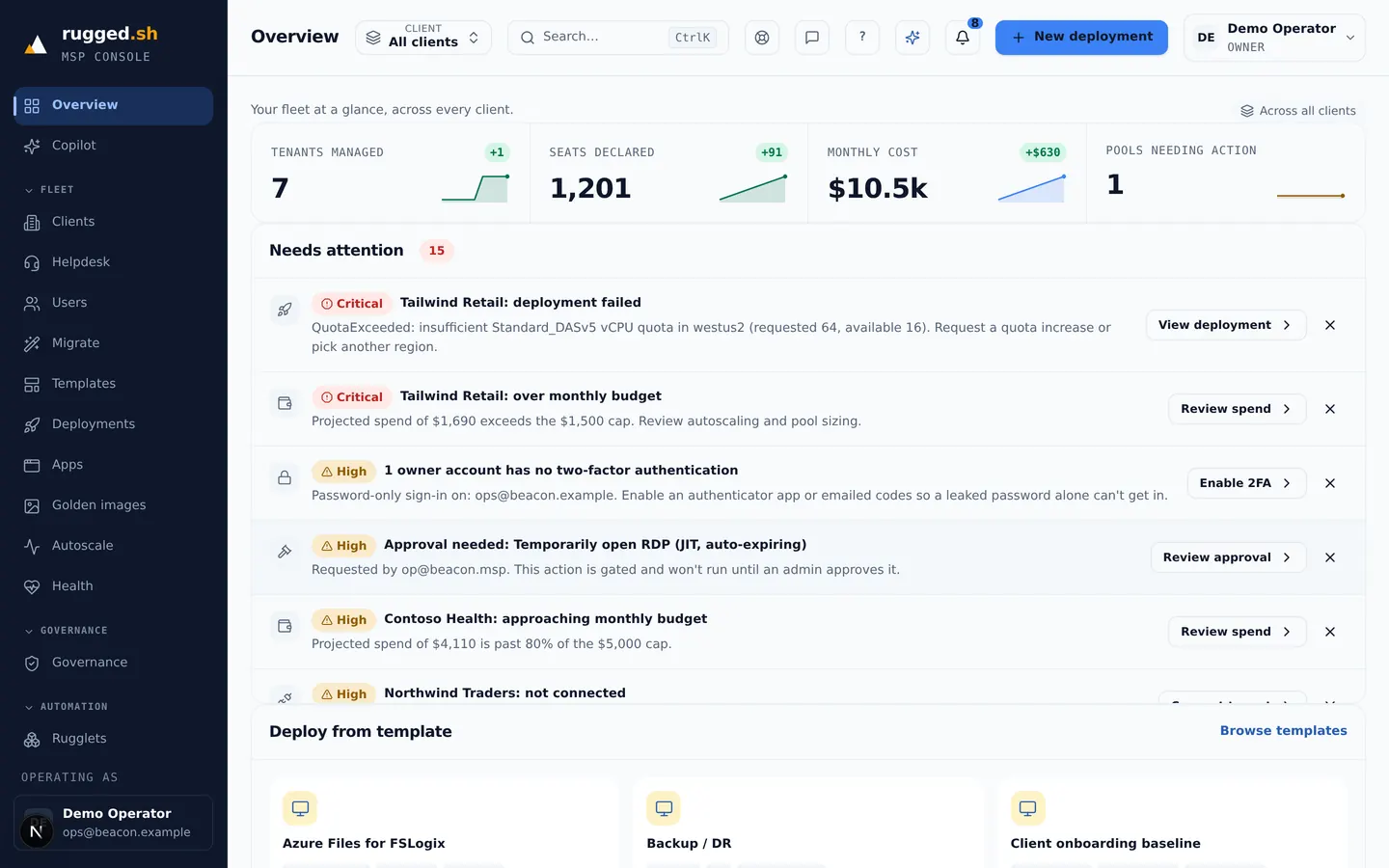
Deployment, governance, cost and support for each customer tenant, in one console.
A read-only sweep of a prospect's Azure Virtual Desktop, Windows 365 and Microsoft 365 estate. It lists what it finds and separates what the platform can take over from what needs manual work, before you commit to a cutover date.
Versioned scripted actions with a run history. Destructive actions pass an approval gate first, and every script is scanned before it runs against a rule set mapped to MITRE ATT&CK techniques. Some actions target one customer, some the whole fleet.
Record a tenant's Intune and Conditional Access configuration as a baseline, then re-read it on a schedule and diff it. Drift is listed per tenant. Remediation writes the baseline back for the areas the platform can write, and marks the rest for a person.
AVD host pools deploy from versioned Bicep templates with a parameter schema. Windows 365 provisioning policies are created through Graph. Deployments run as durable, resumable jobs and are wrapped in an Azure deployment stack.
Schedule and load-based profiles deallocate idle session hosts. Deallocation, not a guest shutdown, is what stops Azure billing compute. The projected saving per tenant is shown next to that tenant's fee; it is a model, not a measurement.
Each tenant's security configuration is read on a schedule and scored. Separately, scripts and templates are scanned line by line for attacker-technique markers, mapped to MITRE ATT&CK, and the findings are attached to the action.
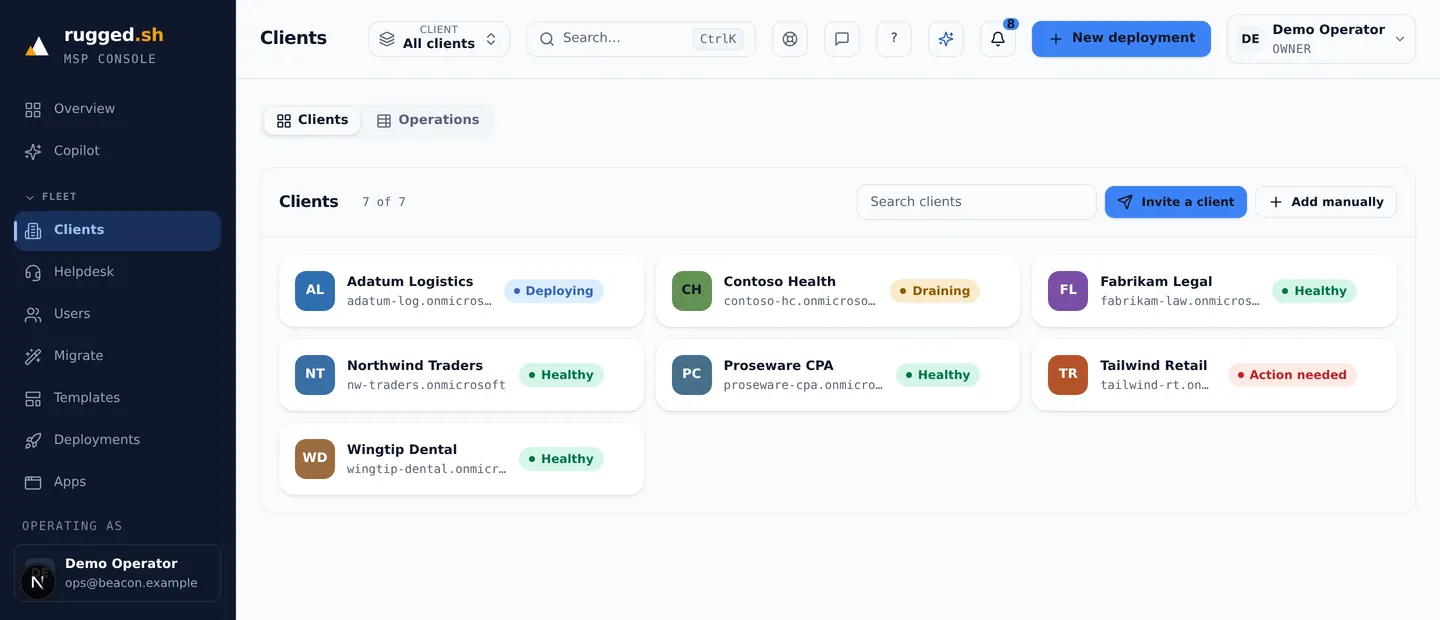
Select a customer and every screen scopes to that tenant. The fleet view aggregates across them. Scope is carried on each row and checked in the data-access layer rather than in each screen.
A client-facing report per tenant: managed resources, seats and Cloud PCs, the modeled autoscale saving, and governance and drift counts. Spend is the billed Azure figure when Cost Management returns one and a modeled estimate otherwise, and the report states which. Exports to CSV or print.
A ticket queue and scoped support access in the same console as the rest of the fleet, so a support user can be limited to a subset of customer tenants.
Captured from the running console. The tenant names, seat counts and dollar figures are fabricated demo data, not a customer's fleet.
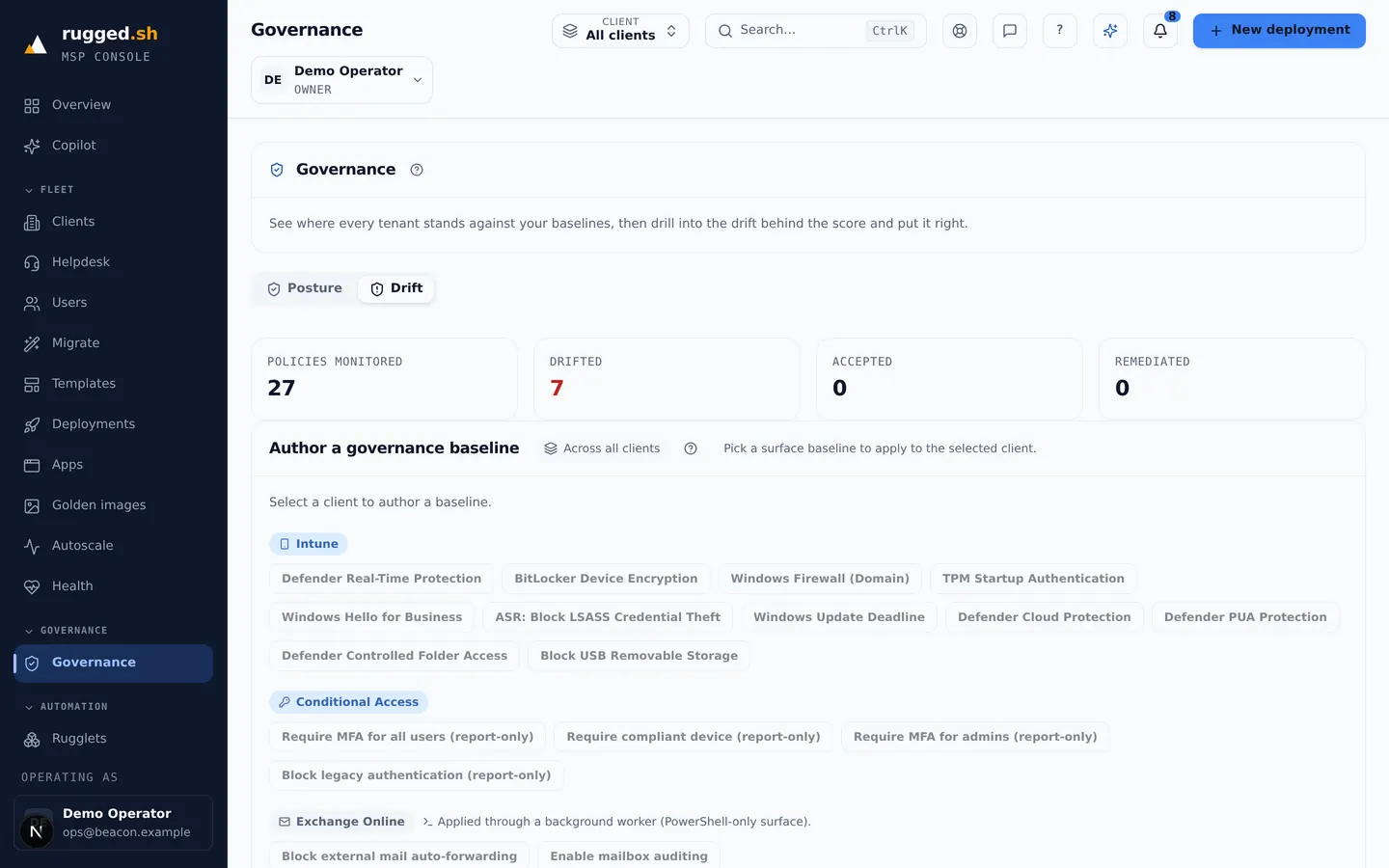
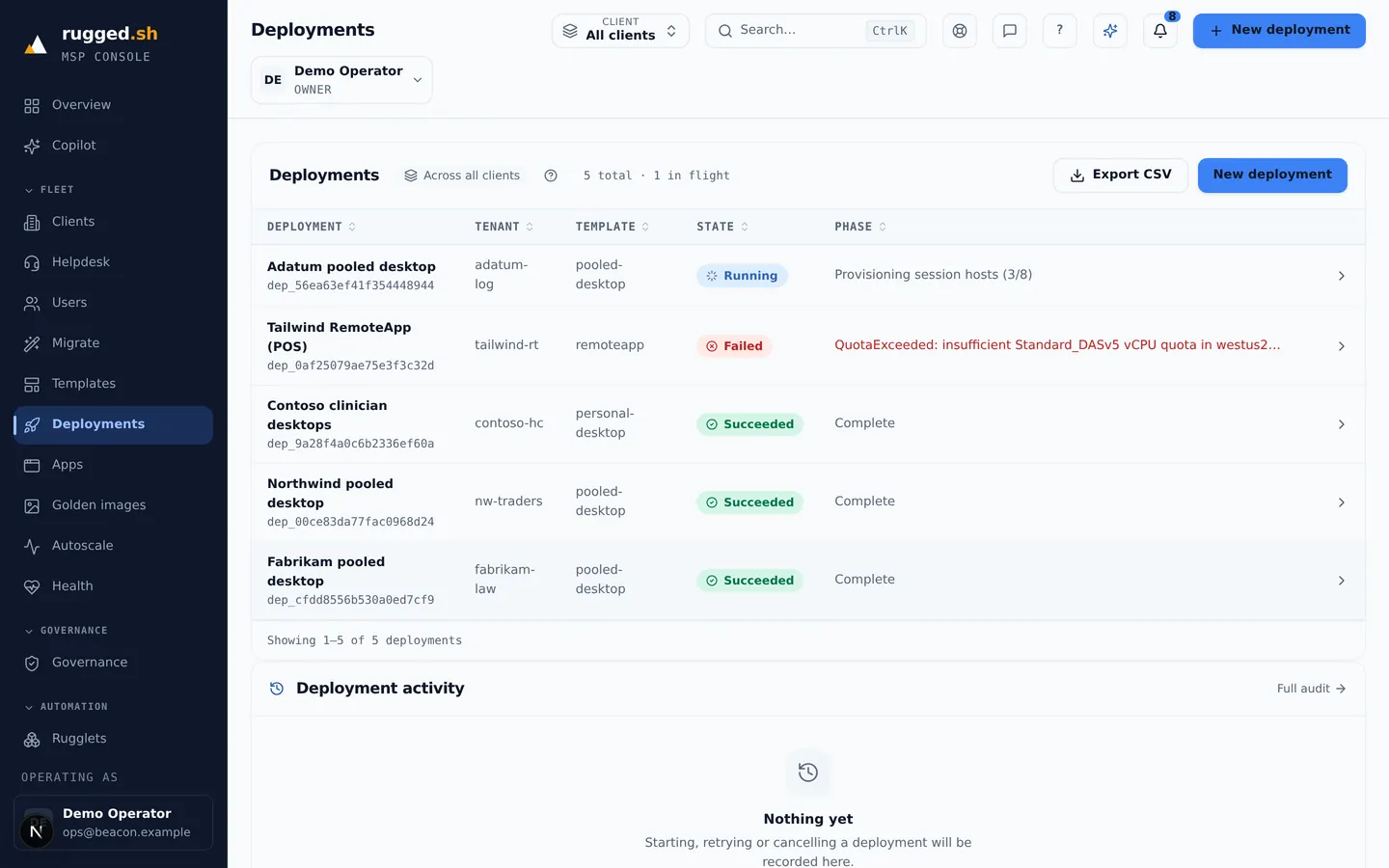
The fee is per customer tenant per month and does not change with seat count. No per-user fees, no minimum tenant count.
$10 / tenant / mo
Intune and Conditional Access baselines, drift detection, user and licence reads.
$50 / tenant / mo
Template deployment, autoscaling, cost and utilization reporting.
Take a client's Microsoft 365 only, Azure only, or both: $10, $50, or $60 per tenant per month. No per-user fees, no base subscription, no minimum tenant count.
| Client example | Typical per-user tool | rugged.sh |
|---|---|---|
| M365 only, 25 users | ~$75 | $10 |
| Azure, 30 AVD users | ~$360 | $50 |
| Azure, 100 AVD users | ~$1,200 | $50 |
Illustrative: the per-user column uses $3/user/month for Microsoft 365 and $12/user/month for Azure, round numbers chosen to show the shape of the curve, not any specific vendor's published price. Substitute the rate on your own quote.
Founder pricing: lock in $10/$50 today. A subscription stays on the price it was created against for as long as it stays active, so rates rising for new customers does not move yours.
Full pricing details · Flat per-tenant vs per-user, compared
Access is app-only, per customer tenant. Every row and every operation carries a partner and customer-tenant scope, checked in the data-access layer. Customer data is not pooled across partners and is not sold.
The API shapes the platform depends on come from Microsoft's published documentation and are re-checked against live endpoints, not inferred. Beta surfaces are isolated behind an adapter so a change there is one edit.
One fee per customer tenant per month, independent of seat count. Billing runs through a direct checkout, set up when you go live.
A multi-tenant control plane for MSPs running Microsoft cloud for their clients. From one console it deploys and scales Azure Virtual Desktop and Windows 365, and reads and enforces Microsoft 365 configuration, in each customer tenant separately.
Per customer tenant, not per user: $10/month per tenant for Microsoft 365 management, $50/month per tenant for Azure (AVD / Windows 365), or $60/month for both. There are no per-user fees and no minimum tenant count.
Yes: 1 tenant and 5 users, with no time limit, running against your own Azure subscription. A card is authorized to verify the account and is not charged unless you upgrade.
Every row and every operation carries a partner and customer-tenant scope, checked in the data-access layer rather than in each screen, and covered by tests. Customer data is not pooled across partners and is not sold.
Through a direct checkout you complete online. A subscription stays on the price it was created against for as long as it stays active.
Azure Virtual Desktop host pools and session hosts, Windows 365 Cloud PCs and provisioning policies, Intune and Entra Conditional Access configuration, and Azure cost data, per customer tenant.
From versioned templates with a parameter schema. You pick a customer and a template; the AVD host pool or Windows 365 policy is created by a durable job that can be resumed and retried, and its progress is shown while it runs.
Yes. Sign up, connect one customer tenant on the free tier against your own Azure subscription, and decide from there.
Start on the free tier with one customer tenant, or sign in to the console.


